AI Services
See what every Cortex AI feature is costing you, all in one place. See The services below for what each one does.
What you get
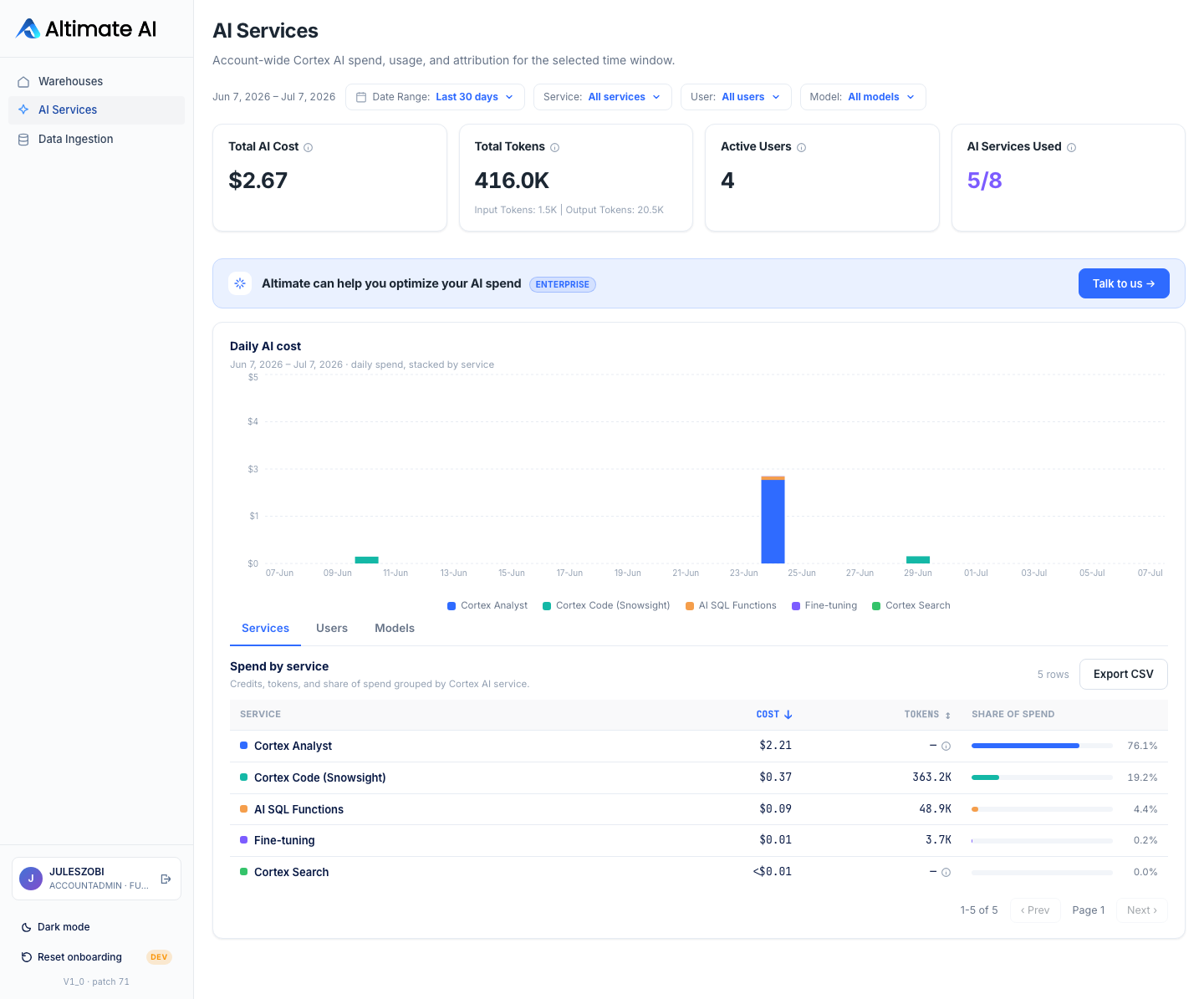
Total AI cost
Account-wide spend across every Cortex AI feature for the period you pick, in dollars where we can price it, credits otherwise.
Token usage
Total tokens consumed across token-metered AI functions. Output tokens typically cost several times more than input; the per-service breakdown shows the input/output split where Snowflake reports it.
Adoption
How many of the AI services this app tracks are actually in use in your account (e.g. "3 of 8").
Daily cost trend
A day-by-day chart of spend, colored by which service it came from (AI SQL Functions, Cortex Analyst, Search, Agents, Intelligence, Code, or Fine-tuning), so you can see when usage spiked and which service drove it.
The services
- AI SQL Functions: SQL functions that run LLM tasks (summarizing, translating, extracting, classifying) directly on your data.
- Cortex Analyst: Lets people ask questions in plain English and get back accurate answers, grounded in a semantic model of your data.
- Cortex Search: Search over your own documents and unstructured data, built to hand an LLM accurate, up-to-date context.
- Cortex Agents: An orchestrated agent that combines Cortex Analyst and Cortex Search to reason across both structured and unstructured data.
- Snowflake Intelligence: A natural-language interface for exploring your data: ask a question, get an answer or a chart, no dashboard needed.
- Cortex Code: An AI coding assistant for writing and explaining SQL and Python inside Snowflake.
- Fine-tuning: Customizes a base LLM on your own data for tasks a general-purpose model doesn't handle well out of the box.
Three ways to slice it
The Services, Users, and Models tabs each give you a ranked table for the selected time window: who or what is driving the spend, with a share-of-total column so you can see concentration at a glance. The Service, User, and Model filters at the top are searchable and combine: narrow to one service, one user, one model, or any mix of the three, and every number (the KPIs, the chart, all three tables) recalculates around that filter. Export CSV on any table downloads every matching row for the current filter, not just what's on screen.
Drilling in
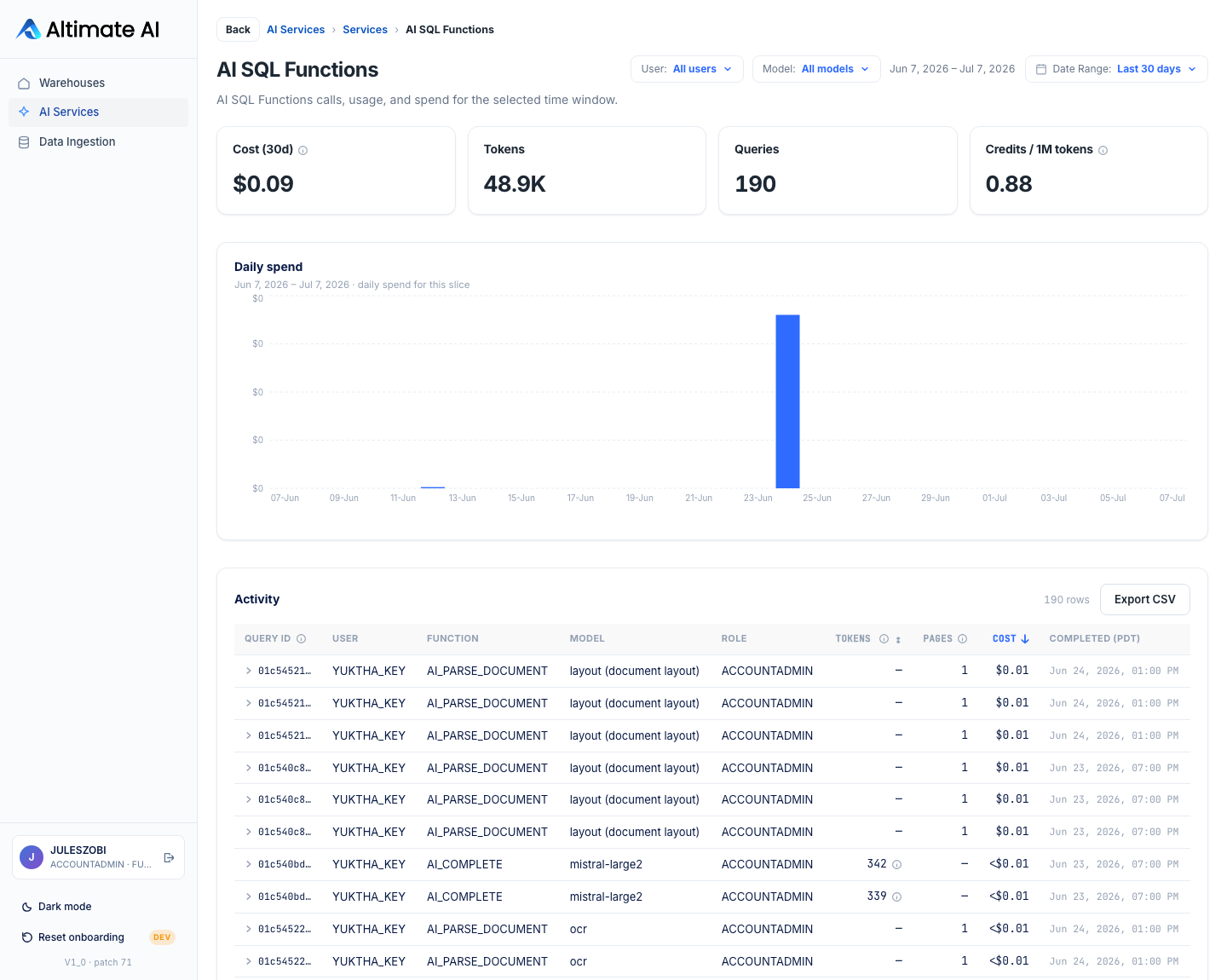
Click any Service, User, or Model row and you get its own page: a daily spend chart scoped to exactly that slice, plus the full activity behind it. The Activity table's shape changes depending on what Snowflake actually reports for that service:
AI SQL Functions, Cortex Code, Agents, and Intelligence show one row per call, with a Query ID (AI SQL Functions; click through to see the query text) or a Request ID (the rest, since these are AI requests, not Snowflake queries), plus the user, function, model, and tokens.
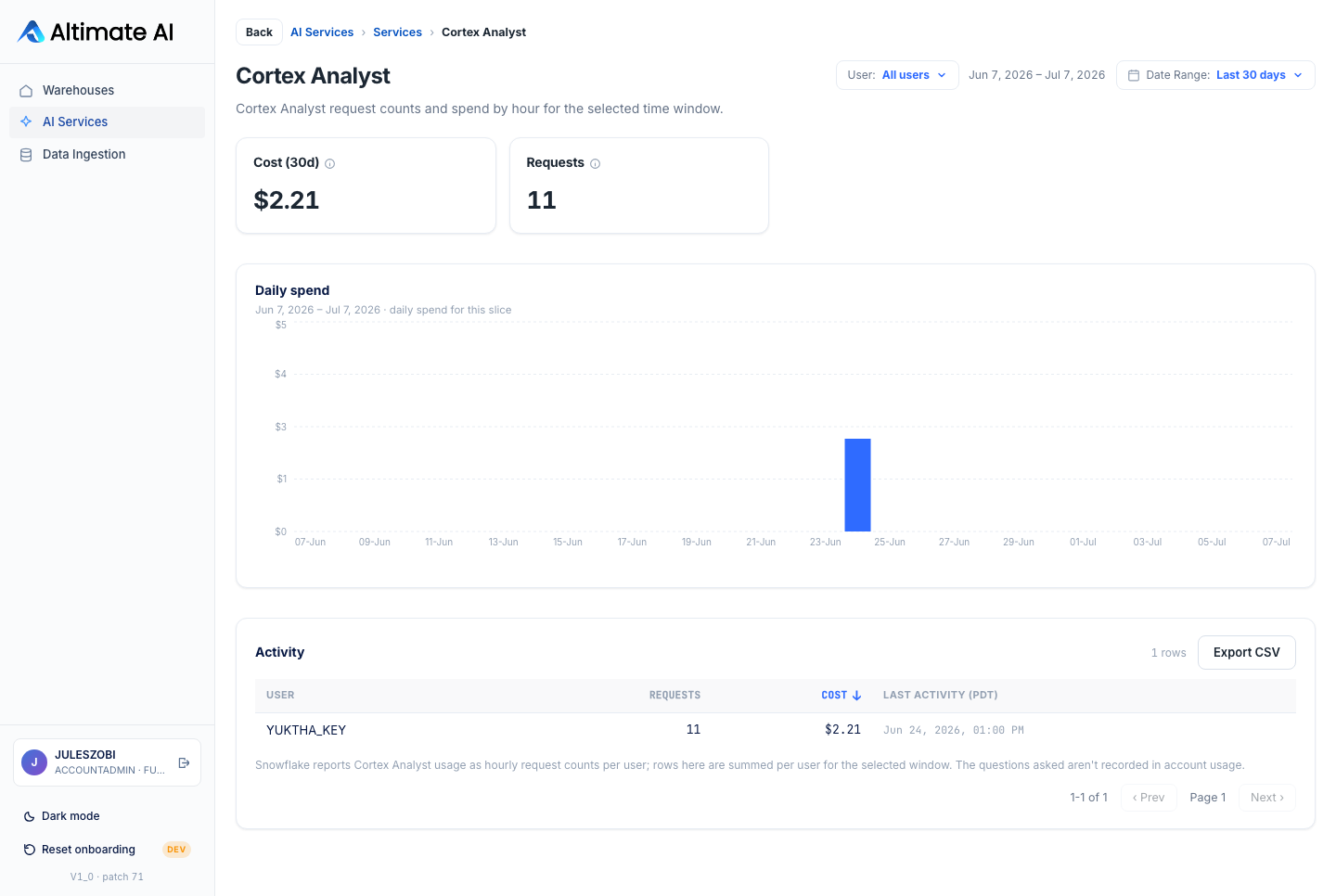
Cortex Analyst doesn't expose individual queries: Snowflake only reports hourly request counts per user, so rows are summed to one per user for the selected window, with a Requests count instead of tokens.
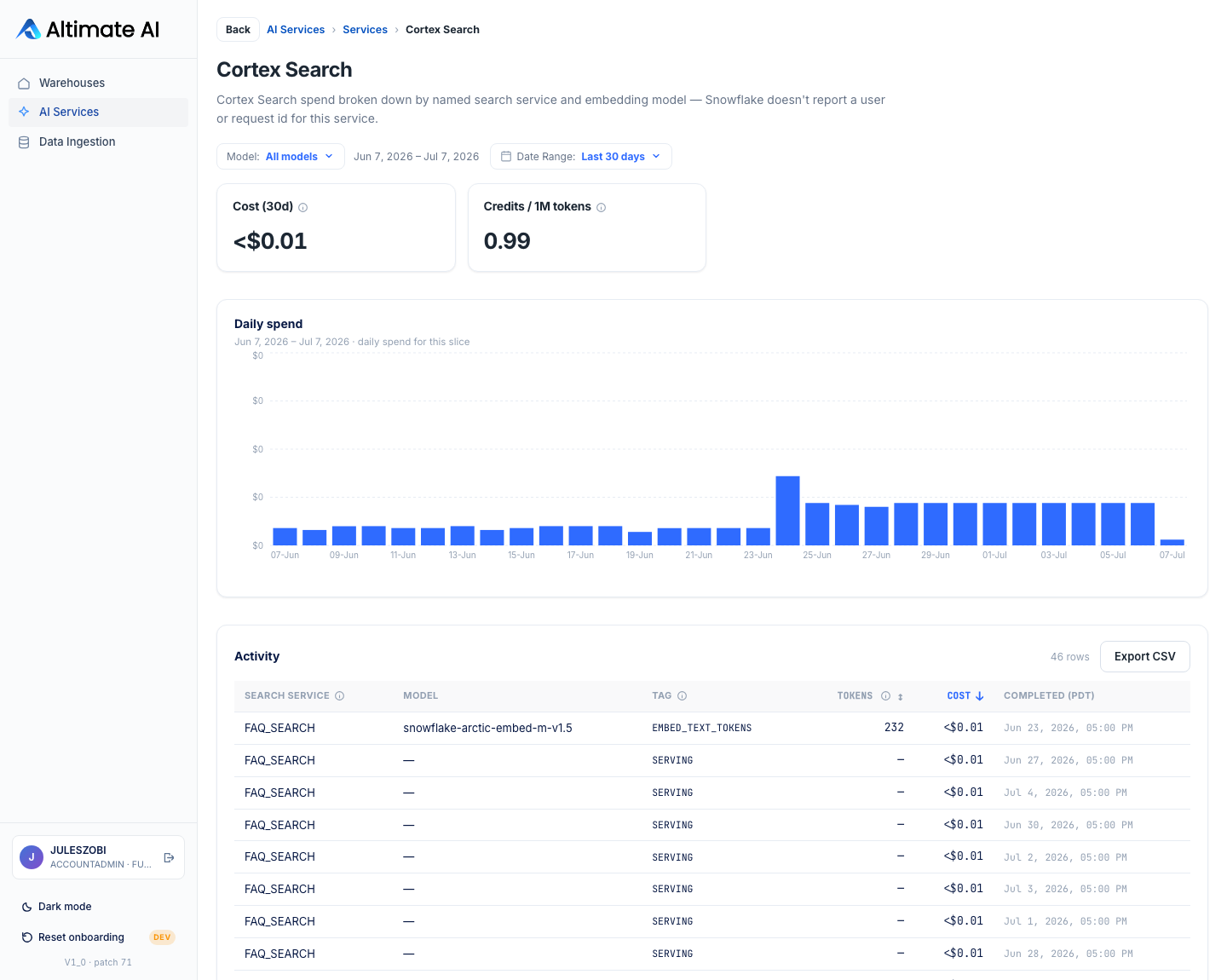
Cortex Search has no user or request id at all; rows are grouped by the
named search service instead, with a Tag showing whether the credits
were query-time (SERVING) or indexing-time (EMBED_TEXT_TOKENS).
Export CSV on the Activity table (and every table on this page) downloads every matching row, not just what's currently on screen.
Good to know
Most Cortex AI features bill a separate "AI Credit" pool from your regular compute credits; Fine-tuning and Cortex Analyst are the exceptions, billing your regular compute credits instead. Dollar amounts show once a reliable rate is available for the relevant pool; otherwise the page shows credits. Hover the Total AI Cost info icon for the exact rate in use.
How the $/credit rate is set: for the AI Credit pool, it's priced from your account's own invoiced AI spend when that history is available, otherwise Snowflake's published flat rate ($2.00/credit for global routing, $2.20/credit for regional). Regular compute credits (used for Fine-tuning and Cortex Analyst) are priced from your account's actual compute rate.
Numbers refresh daily and backfill the last 30 days automatically on install; Run now on the Ingest page gets you the latest figures on demand.