What is a workspace?
A workspace is everything your AI agent works with: the systems it can reach, the documents it reads, what it remembers from earlier sessions, and the instructions it follows. You set a workspace up once in the Altimate web app, then use it from your editor, your terminal, or any MCP client.
Workspaces replace Datamates
If you used Datamates, your datamates are now your workspaces, with the same setup under a new name. Some things keep the old name because software refers to them by it: the datamate MCP server, the @altimateai/datamate npm package, and the @datamate chat participant.
What a workspace holds
| What it gives the agent | |
|---|---|
| Integrations | Tools for the systems it can reach: warehouses such as Snowflake, BigQuery, Databricks and PostgreSQL, plus dbt, Airflow, Dagster, GitHub, Jira, Linear and more |
| Knowledge | Documents it reads for context, such as your team's standards and guides, and Altimate's templates |
| Memory | What it has learned in earlier sessions, when memory is on |
| Skills | Written instructions it follows for particular kinds of task |
Each workspace has an owner and a sharing setting: private to its owner, open to everyone in your organization, or shared with specific people and teams.
Where you use a workspace
| Where you work | How it connects | Set it up |
|---|---|---|
| VS Code, Cursor | The Altimate Workspaces extension | VS Code · Cursor |
| Altimate Code | Link your project with altimate-code link |
Altimate Code |
| Claude Code, Cline | The datamate MCP server on your machine |
Claude Code · Cline |
| Any MCP client | Altimate's hosted MCP server, with nothing to install | Remote MCP server |
A workspace's knowledge, memory and skills live in the workspace rather than in any one tool, so every place you use it sees the same ones.
Find your workspaces
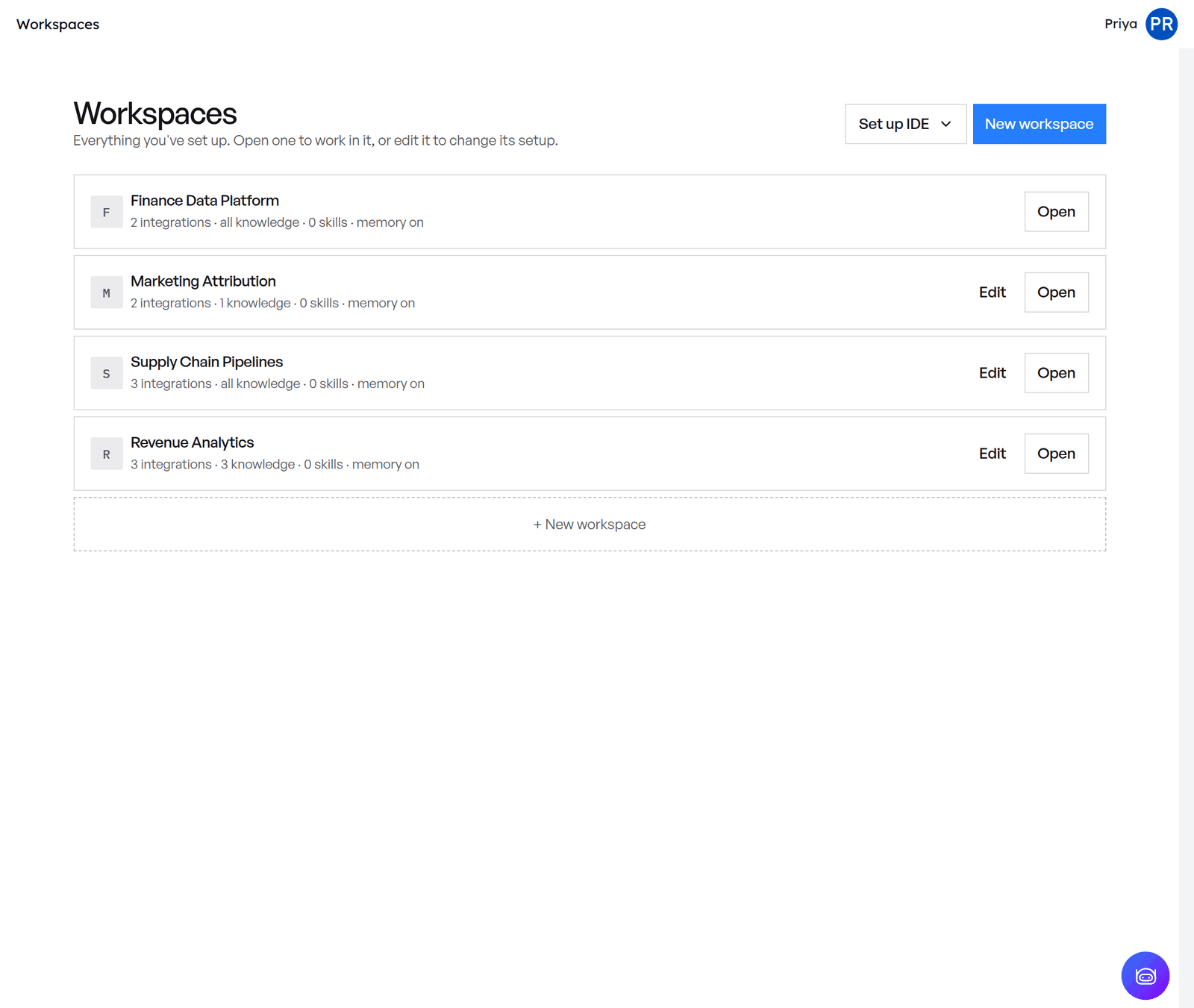
In the Altimate web app, open Workspaces from the sidebar. Open a workspace to work in it, or Edit it to change its setup. To make a new one, see Create a workspace.
Also in the extension
- Altimate Code Chat is the Altimate Code agent in a chat panel in your editor, working with the workspace you have selected.
- Altimate LLM Gateway gives you managed model access for that chat, with 10M tokens free to start. You can bring your own keys instead.
See it in practice in the examples.