Databricks integration
This page lists the Databricks integration's tools and how to configure it.
Tools
| Tool Name | Description | Parameters |
|---|---|---|
databricks_list_clusters |
List all Databricks clusters. | None |
databricks_create_cluster |
Create a new Databricks cluster. | - config (record): Cluster configuration object |
databricks_terminate_cluster |
Terminate a Databricks cluster. | - cluster_id (string): Cluster ID to terminate |
databricks_get_cluster |
Get information about a Databricks cluster. | - cluster_id (string): Cluster ID to retrieve |
databricks_start_cluster |
Start a terminated Databricks cluster. | - cluster_id (string): Cluster ID to start |
databricks_list_jobs |
List all Databricks jobs. | None |
databricks_run_job |
Run a Databricks job. | - job_id (number): Job ID to run- params (record, optional): Job parameters |
databricks_list_notebooks |
List notebooks in workspace directory. | - path (string): Absolute workspace path |
databricks_export_notebook |
Export a notebook from workspace. | - path (string): Notebook path- format (string): Export format (SOURCE, HTML, JUPYTER, DBC) |
databricks_list_files |
List files and directories in DBFS path. | - path (string): DBFS absolute path |
databricks_execute_sql |
Execute a SQL statement. | - warehouse_id (string): SQL warehouse ID- statement (string): SQL statement to execute- catalog (string, optional): Catalog name- schema (string, optional): Schema name |
databricks_list_job_runs |
List runs for a Databricks job. | - job_id (number): Job ID to list runs for |
databricks_get_job_run |
Get information about a single run of a Databricks job. | - run_id (number): Run ID to retrieve |
databricks_get_job_run_output |
Get the output of a single run of a Databricks job. | - run_id (number): Run ID to retrieve output for |
Configuration
You would need the following details for using Databricks -
- Databricks API URL (DATABRICKS_HOST)
- Databricks Token (Personal Access Token)
API URL -
- This environment variable is set to the URL of either your Databricks account console
http://accounts.cloud.databricks.comor your Databricks workspace URLhttps://{workspace-id}.cloud.databricks.com. Choose a host URL type based on the type of operations you will be performing in your code. - If you are using Databricks account-level CLI commands or REST API requests, set this variable to your Databricks account URL.
- If you are using Databricks workspace-level CLI commands or REST API requests, use your Databricks workspace URL.
Pesonal Access Token (PAT) -
Complete the following steps to generate a PAT -
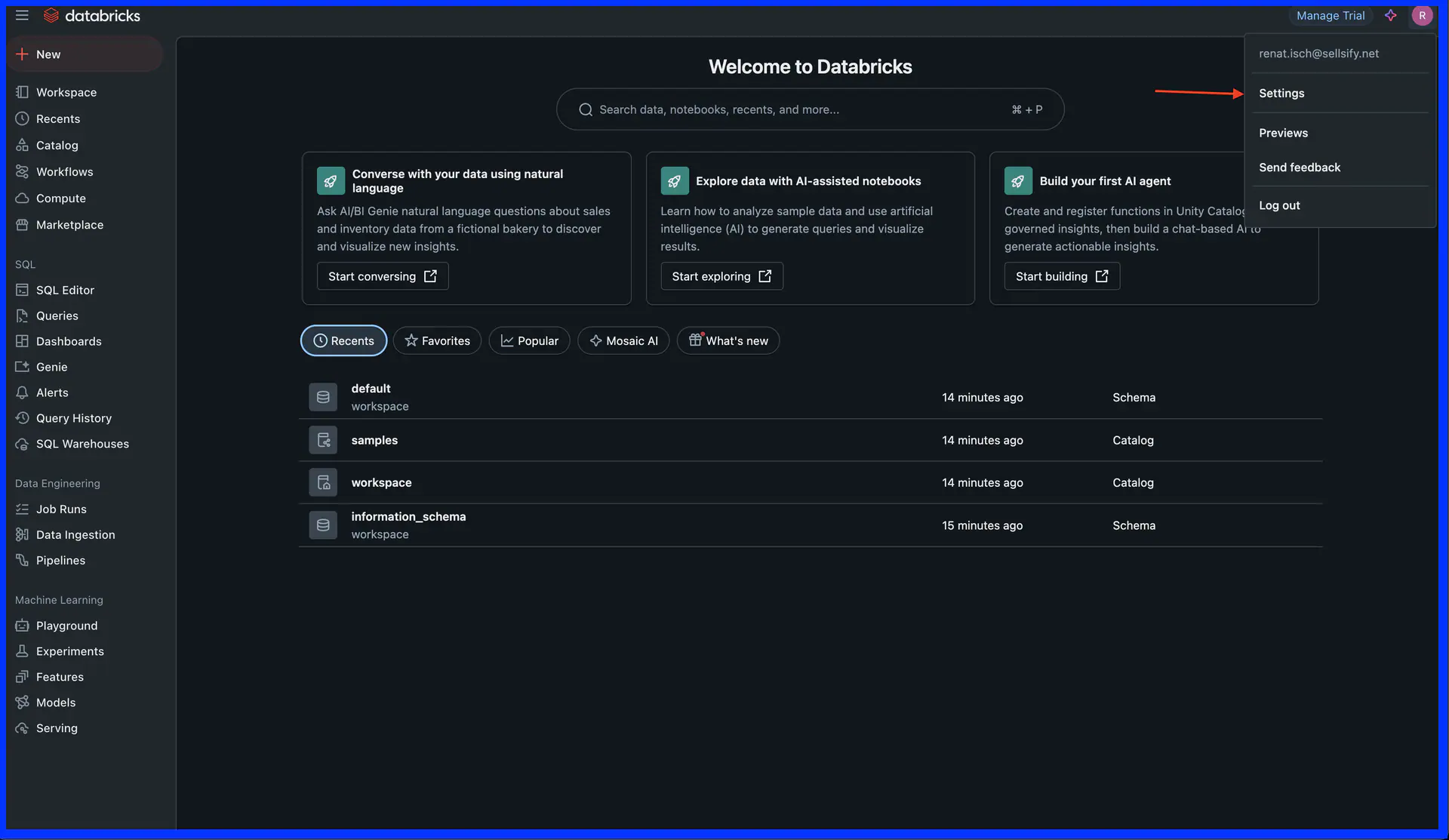
Step 1: In Databricks UI click on your Databricks username Icon on the right top corner and then click click Settings
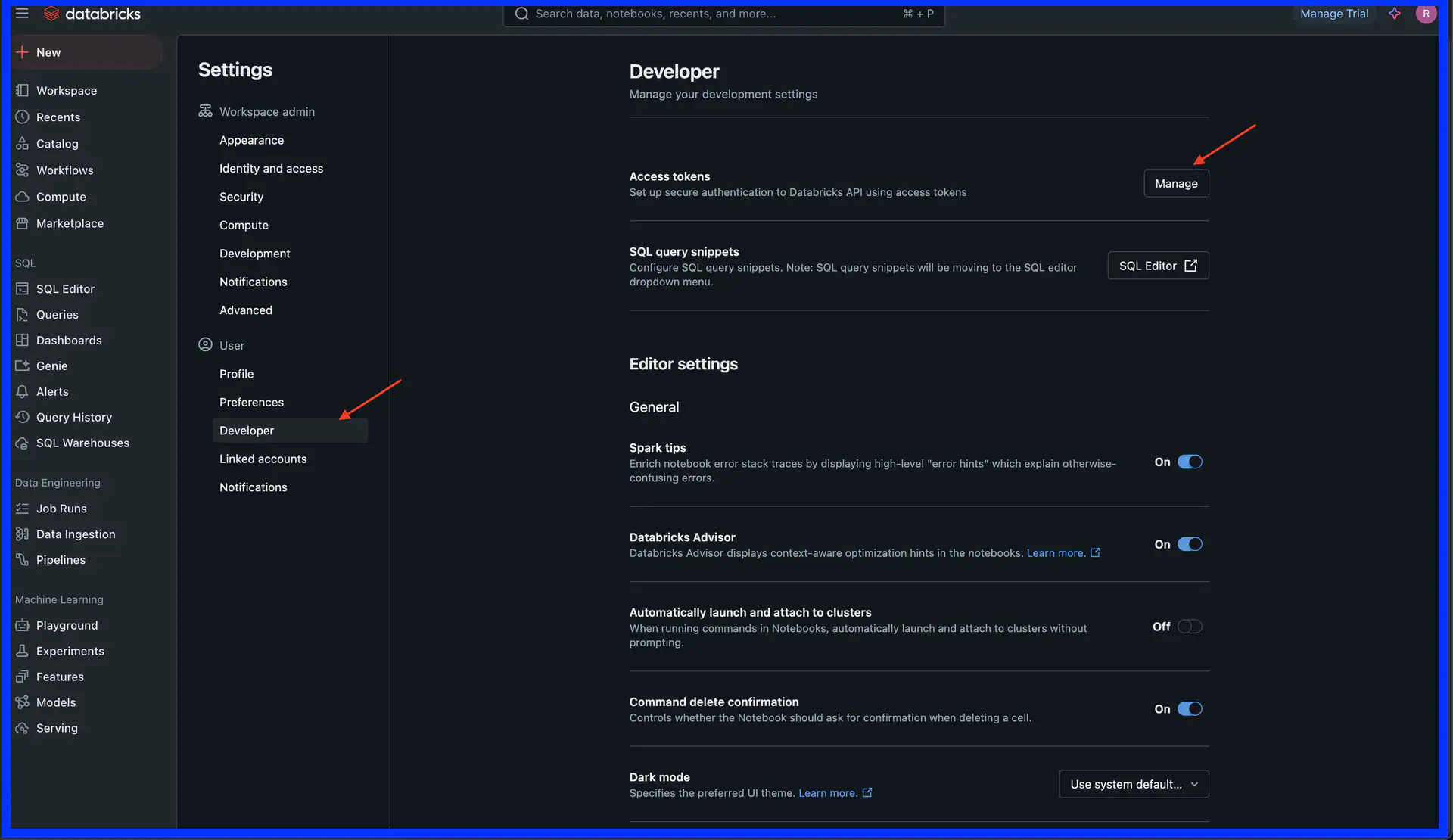
Step 2: In Settings navigate to Developer section and click on click on Manage Access Tokens
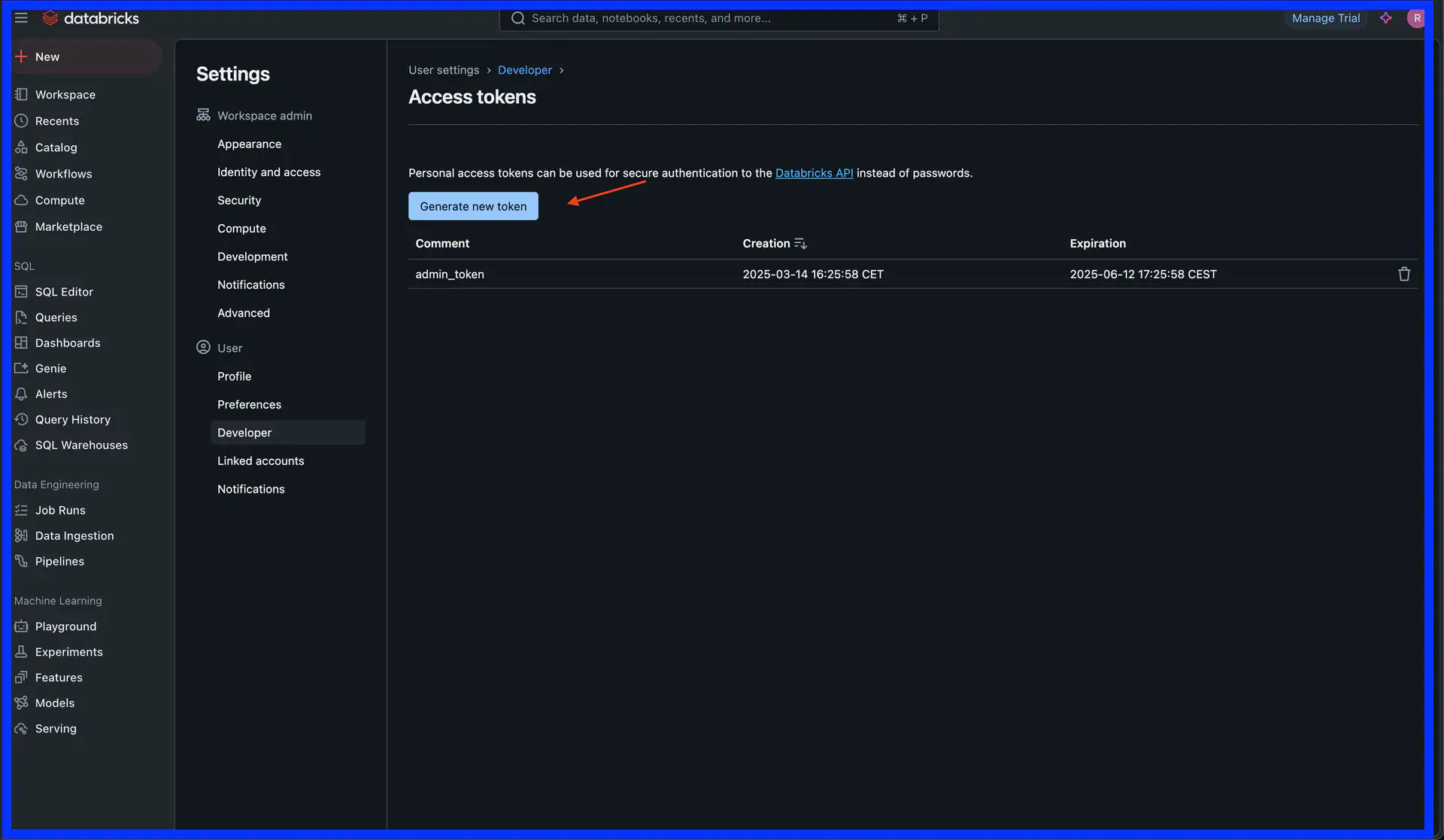
Step 3: Click on Generate Token and set an expiry date
Step 4: Copy the token immediately (you won't be able to see it again)
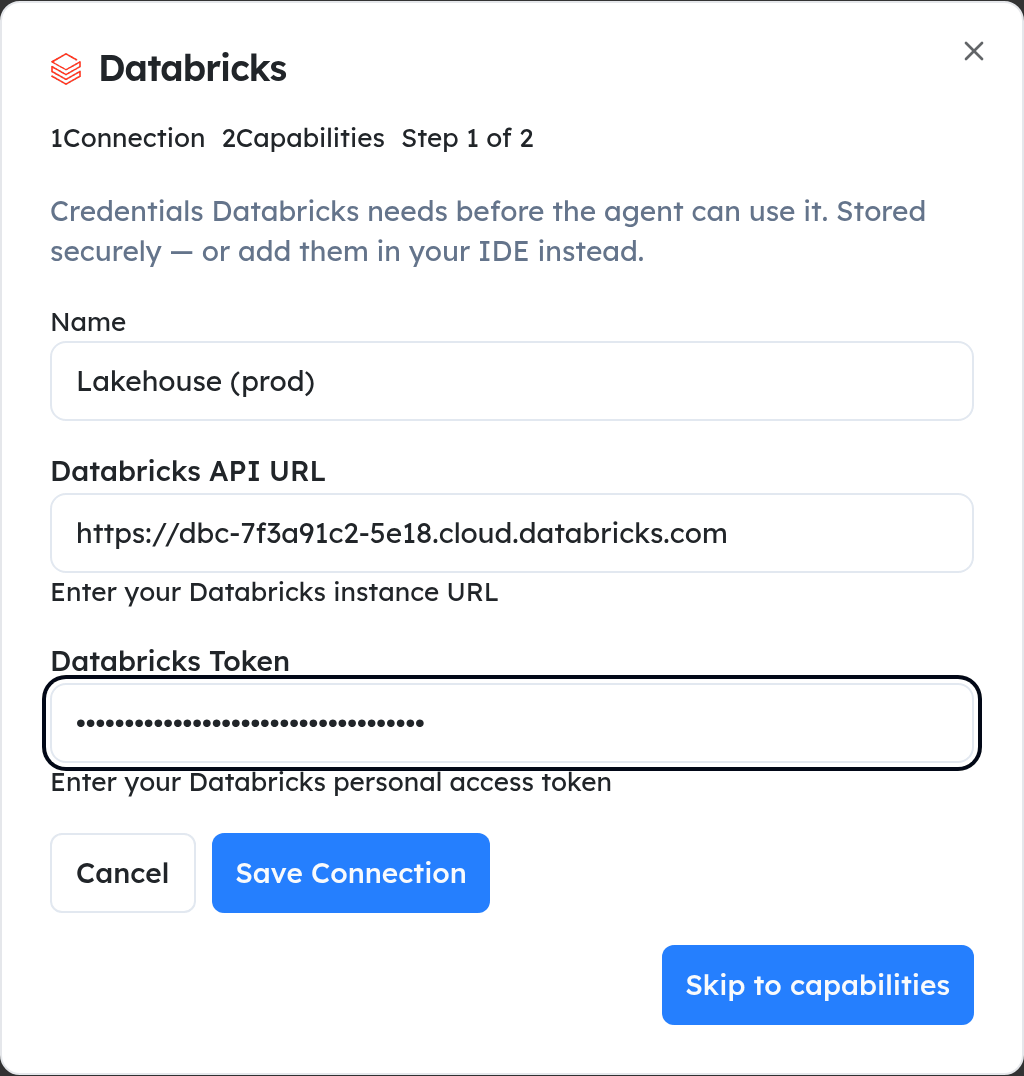
Step 5: Add the token to the Databricks integration's settings in your workspace
For more details about Databricks personal access token, refer to the official Databricks documentation.