Knowledge Hub
Knowledge is the documents your agent reads for context: your team's standards, runbooks and guides, plus Altimate's templates. You keep them in the Knowledge hub and choose which ones each workspace reads.
Models don't know your internal conventions or the practices your team built over years. Knowledge closes that gap without you pasting the same context into every prompt.
Add a document
In the web app, open Workspaces → Knowledge hub from the sidebar and click Upload document. Give the document a name, and optionally a description, then either upload a PDF, Word (.docx), Markdown (.md) or text (.txt) file of up to 10 MB, or choose Markdown Content and paste the text in. Choose who can see the document:
- Private: only you
- Public: everyone in your organization
Uploaded files are processed in the background, so a new document can take a few minutes to become readable.
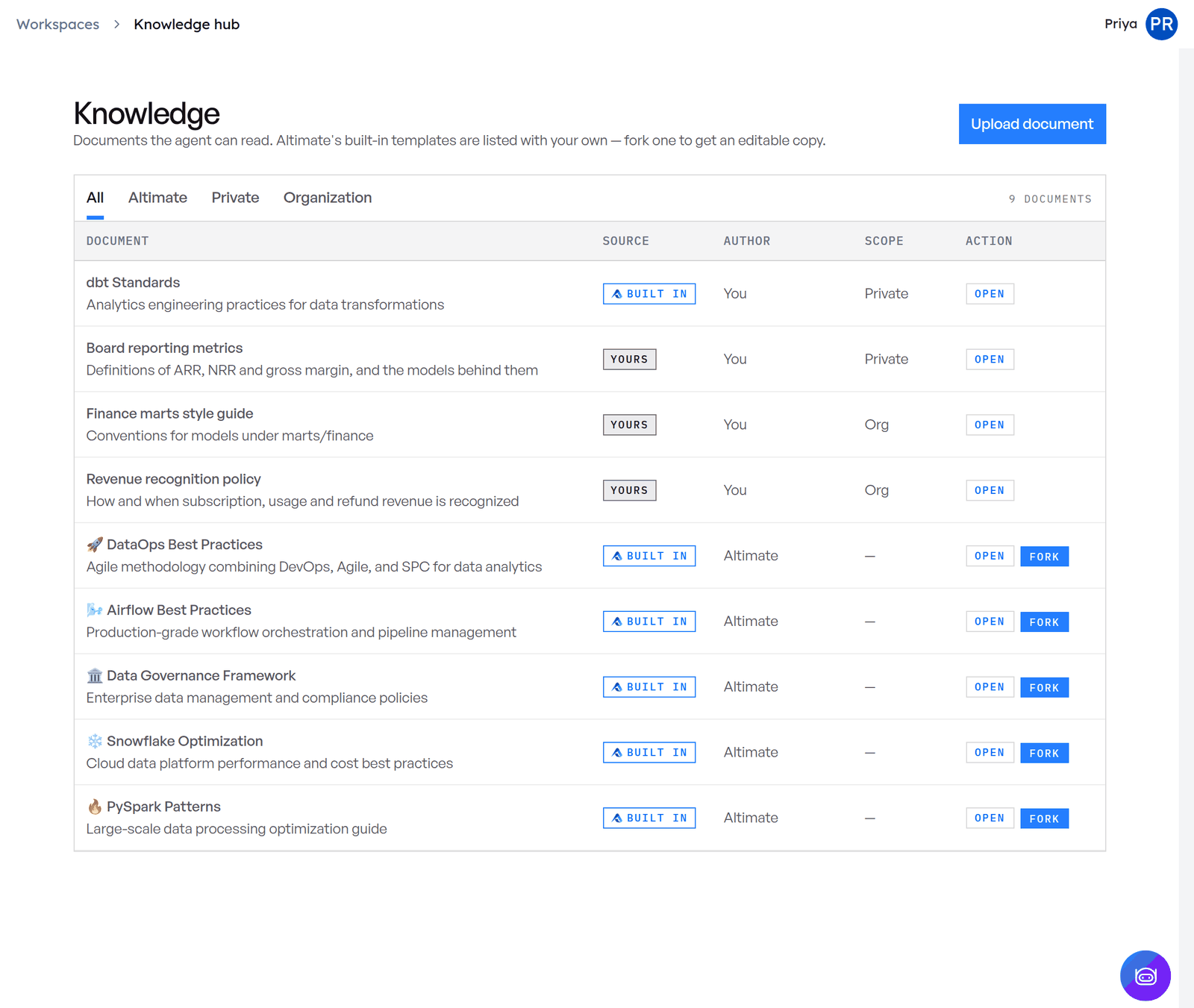
Start from an Altimate template
The Knowledge hub also lists Altimate's templates, ready-made guides based on Altimate's experience with data teams. Open one to read it or Copy markdown, or Fork it into your own documents to adapt it.
Choose what a workspace reads
A workspace reads either every document in the Knowledge hub, including ones uploaded later, or a list you pick. You choose on the Knowledge step when you create or edit the workspace. If you pick nothing, it reads everything.
If a workspace reads a picked list, a document you upload from inside that workspace is added to its list.
How the agent gets knowledge
The workspace's documents reach the agent through the datamate MCP server, as resources it can read. With the knowledge engine on, the agent also gets an ask_knowledge_base tool, which retrieves only the parts of your documents that answer the question at hand.
Knowledge engine
The knowledge engine turns uploaded documents into searchable knowledge:
- It parses PDF, Word, Markdown and text files, including text and embedded images such as diagrams, charts and screenshots.
- It serves only the passages relevant to a question instead of whole documents, which keeps the agent's context small and focused.
The knowledge engine is on for every workspace. If an older workspace's agent doesn't have the ask_knowledge_base tool, open the workspace, click Edit workspace, then Save workspace. Saving turns the engine on.