Snowflake integration
This page lists the Snowflake integration's tools and how to configure it.
Tools
| Tool Name | Description | Parameters |
|---|---|---|
snowflake_list_database_connections |
List the Snowflake connections available to this workspace. | None |
snowflake_execute_database_query |
Execute SQL queries against a Snowflake database. | - connection_id (string)- sql_query (string) |
snowflake_get_query_explain_plan |
Get the EXPLAIN plan for a SQL query without running it: operations, partition pruning, join strategies and estimated costs. Also checks the SQL syntax. | - connection_id (string)- sql_file_path (string): Path to a file containing only the compiled SQL query, without dbt Jinja and without EXPLAIN |
snowflake_get_query_optimization_guide |
Get Altimate's workflow and rules for optimizing Snowflake queries. The agent reads it before optimizing a query. | None |
snowflake_get_table_stats |
Get statistics and metadata for Snowflake tables: size, row count, clustering keys, column schema and clustering quality. | - connection_id (string)- tables (array): Array of tables to get statistics for |
Configuration
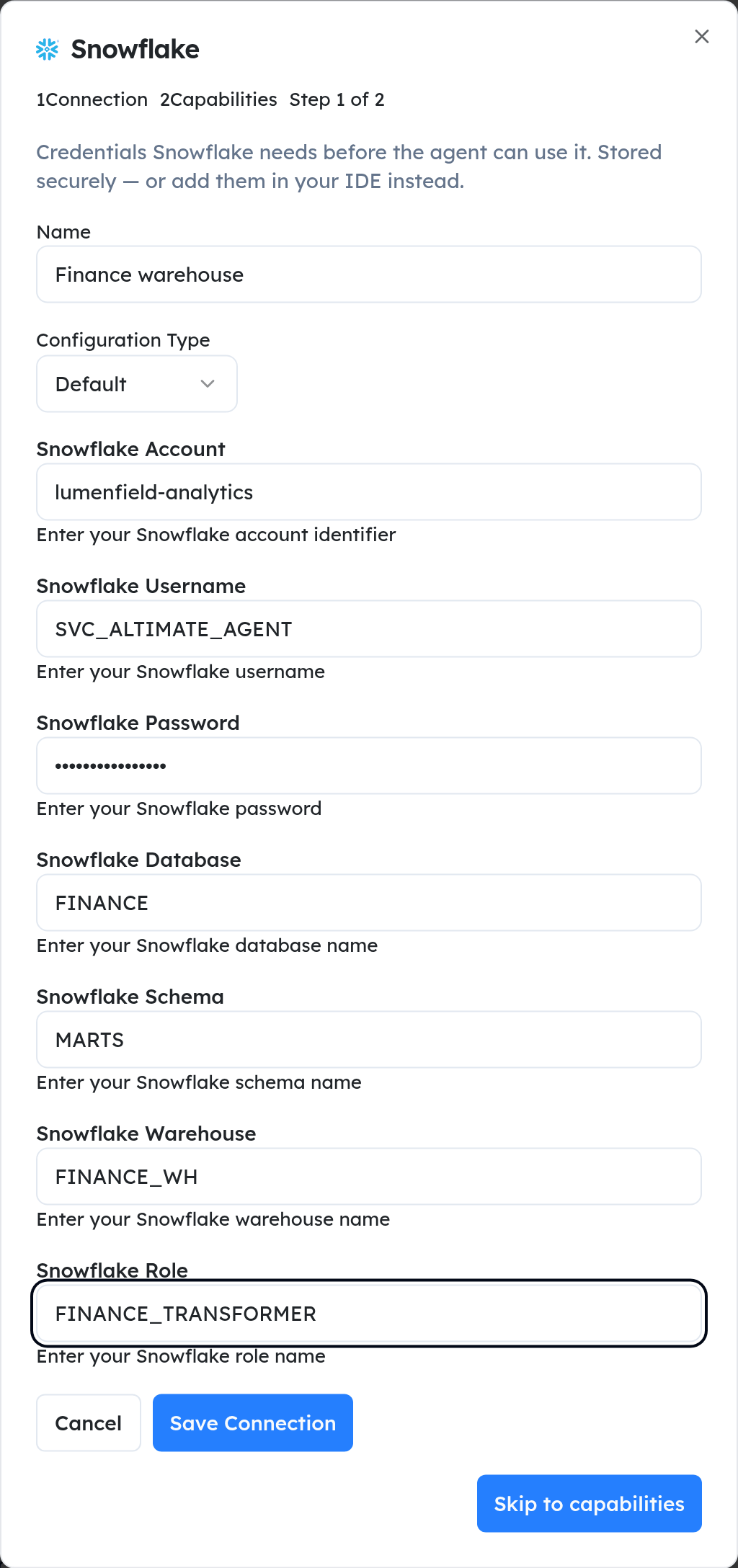
To use these tools, add a Snowflake connection and choose its Configuration Type:
- Default: username and password
- External browser authentication
- OAuth: see OAuth authentication
- Key-pair: see Key Pair authentication
For more information on connecting to Snowflake - check out their docs
Common configuration parameters:
- Snowflake Account
- Username
- Database
- Schema
- Warehouse
- Role